
OSHA 300A Posting Requirements
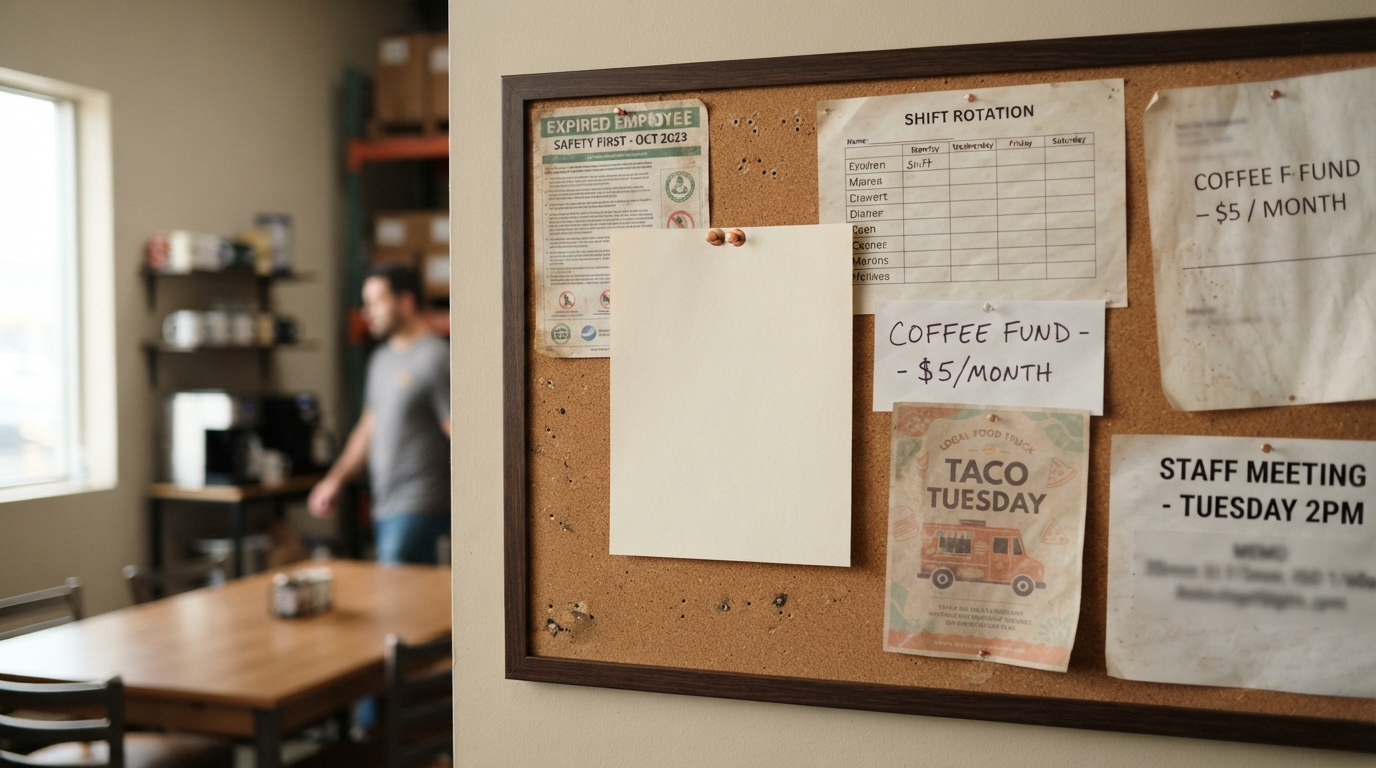
February rolls in with its familiar chill, and the bulletin board in the employee break room tells its own story. There sits last year's OSHA Form 300A, edges curling from months of exposure, ink faintly legible under fluorescent lights. Or worse, the board is blank, a silent oversight amid the rush of new-year resolutions and payroll cycles. For U.S. small-business owners, safety managers, HR leads, and operations managers, this moment signals more than neglect. It marks a potential violation of OSHA 300A posting requirements, one that could draw fines starting at $16,550 per instance as of recent adjustments.
Posting the annual summary is not optional for covered employers. It stands as a cornerstone of OSHA recordkeeping, a public commitment to transparency about workplace injuries and illnesses. Get it right, and you foster trust while staying compliant. Miss the mark, and inspections could uncover the gap. This guide breaks down the essentials: what Form 300A captures, how to review and certify it, precise Form 300A posting dates, where to display it, and a practical checklist to avoid common pitfalls.
What Is Form 300A and How Does It Differ from Forms 300 and 301?
Form 300A serves as the Summary of Work-Related Injuries and Illnesses for each establishment and calendar year. Think of it as the high-level snapshot drawn from your detailed OSHA 300 Log. While the 300 Log records every individual case with specifics like dates, descriptions, and employee classifications, Form 300A aggregates those entries into totals only. No names appear. No incident narratives clutter the page.
Key sections include:
- Total number of deaths.
- Cases with days away from work.
- Cases with job transfer or restriction.
- Other recordable cases.
- Days away totals.
- Days with transfer or restriction totals.
- Injury and illness types, from needlesticks to hearing loss.
- Annual average number of employees covered by OSHA.
- Total hours worked by all employees that year.
Contrast this with Form 301, the Incident Report. That form dives into privacy-protected details for each case: employee names, physician info, and case narratives. You never post 301s. The 300 Log, meanwhile, lists cases chronologically but remains internal. Form 300A is the one that steps into the light, posted annually to inform workers without compromising confidentiality. For deeper dives on logging cases, see our guide on how to fill out an OSHA 300 Log.
Reviewing Totals Before Certification: A Critical Step
Before any executive puts pen to paper, scrutinize the numbers. Form 300A pulls directly from your 300 Log, so errors there cascade forward. Start with case counts. Verify deaths against log entries. Tally days-away cases, ensuring each aligns with restricted-duty incidents. Cross-check day counts: these are calendar days, not workdays, and include only those the employee would have worked.
Watch for These Common Data Traps
Draft cases linger in the log without closure. A near-miss flagged as recordable might sit unfinished. Injury types demand precision: skin disorders in one column, respiratory conditions in another. Hours and employee averages come from payroll records, not estimates. Pull exact figures from timekeeping systems for the full calendar year.
- Reconcile totals line by line against the 300 Log.
- Confirm no double-counting of multi-event cases.
- Validate hours: include part-timers, seasonal workers, even remote staff.
- Audit for late-year entries added post-draft.
Tools like OSHA recordkeeping software for small businesses, such as FORM 300 LOGBOOK (OSHA 300, 300A & 301 recordkeeping software for small businesses), automate these checks, flagging discrepancies early. Always confirm against OSHA recordkeeping requirements for small businesses to ensure your establishment qualifies for posting.
Certifying OSHA 300A: Who Signs and What They Attest
Certification elevates Form 300A from draft to official document. An company executive must review the entire 300 Log for the year and sign a statement: "I have examined the Log and find that it is correct and complete to the best of my knowledge." This is no rubber stamp. The signer assumes responsibility for accuracy.
Who qualifies as an executive? OSHA points to top leadership: owners, presidents, vice presidents, or equivalents with authority over operations. A front-line supervisor who never touches the log risks invalidation during an audit. The certification appears in Section I of Form 300A, dated and signed before posting.
The executive's signature bridges data integrity and legal compliance, signaling to employees and regulators alike that safety records reflect reality.
Certify only after your review. Rush it, and a mismatched total could undermine the whole summary.
OSHA 300A Posting Requirements: Dates, Locations, and Duration
Covered employers post the certified Form 300A from February 1 to April 30 of the year following the data year. This window aligns annual summary posting February 1 April 30 timing precisely. Even zero-recordable years demand posting: zeros across the board still count as transparency.
Where and How to Post
Display in all conspicuous places where notices to employees are normally posted. Break rooms, time clocks, locker areas. For multi-site establishments, post at each. Remote or traveling workers? Current OSHA guidance requires alternative notification: email, intranet, or direct mail, ensuring access without physical walls.
- Post by February 1; keep up through April 30.
- Use originals or exact copies; photocopies suffice if legible.
- Multi-language if 20% or more speak another primary language.
- Protect from weather if outdoors, though indoor spots are standard.
Note: Many establishments face a separate electronic submission via OSHA's Injury Tracking Application (ITA) by early March. FORM 300 LOGBOOK does not handle ITA submissions; verify this duty independently based on your size and industry.
What Not to Post: Protecting Privacy and Compliance
The annual notice is Form 300A alone. Never post the 300 Log or 301 forms. Those reveal names, locations, and details protected under privacy rules. Medical notes, emails, or supplemental reports stay internal. Posting them invites privacy citations and erodes employee trust.
A faded 300 Log pinned beside the summary? That's a red flag for inspectors. Keep incident reports like the OSHA 301 Incident Report Form filed securely, shared only as required.
After April 30: Take-Down, Retention, and Filing
April 30 passes, and you may remove the posting. But do not discard. Retain the certified 300A for five years after the year it covers, alongside that year's 300 Log and 301s. Store in a central safety file, digital or paper, ready for audits. Pair it with payroll summaries for hours verification.
Digital backups add layers: timestamped PDFs preserve the posted version, proving compliance if questioned years later.
January Timeline: Avoid the February Rush
Procrastination turns compliance into chaos. Spread the work across January weeks for calm certification and posting.
- Week 1: Finalize late 2023 log entries; reconcile payroll hours.
- Week 2: Generate 300A draft; audit totals against log.
- Week 3: Executive review and certify; print multiples.
- Week 4: Post February 1; confirm all locations and notify remote staff.
This cadence ensures February 1 arrives prepared, not panicked.
Practical Review Checklist and Next Steps
- Certified? Signed by executive with log review.
- Posted February 1-April 30 in all notice areas?
- Zero cases shown if applicable?
- No confidential data attached?
- Five-year retention plan in place?
- ITA submission checked (if required)?
Mastering OSHA 300A posting requirements builds a culture of accountability. One well-placed summary whispers reliability to every worker who glances its way. Stay current with OSHA guidance, and let compliance become routine, not reaction.