
OSHA Recordkeeping Software vs. Excel and Free Forms: A Balanced Comparison for 300 Logs
Picture this: it's late November, and you're a small-shop owner in manufacturing. The Form 300A summary needs posting by February 1. You've got OSHA's free fillable PDFs downloaded from osha.gov/recordkeeping/forms, a trusty OSHA 300 Excel spreadsheet pieced together from templates, and an ad for OSHA recordkeeping software catching your eye. Year-end scramble looms. Which path keeps you compliant without unnecessary spend?
This decision hits small-business owners, safety managers, and HR leads squarely. You already track OSHA 300, 300A, and 301 records—or you're about to. Free OSHA 300 log forms work for some. Others swear by Excel equivalents. Paid recordkeeping workspaces promise organization. Let's compare them head-to-head, grounded in OSHA rules from 29 CFR 1904.29.
What OSHA Requires: Forms, Equivalents, and Computer Records
OSHA mandates recording work-related injuries and illnesses on Forms 300, 300A, and 301—or equivalents—for covered employers. Size exemptions apply: firms with 10 or fewer employees all year skip records unless requested (1904.1). Partial industry exemptions cover low-hazard NAICS codes in Appendix A. All report fatalities and severe injuries.
Equivalents must contain the same information, be readable, and follow OSHA instructions (OSHA forms package). Computer records count if you produce equivalent forms for employees or inspectors on demand (1904.29(b)(5), 1904.35, 1904.40). Log cases within seven days of learning about them (1904.29(b)(3)).
Separate from recordkeeping: qualifying establishments submit 300A data electronically via OSHA's Injury Tracking Application by March 2—no paper or email accepted (1904.41). Check who must submit and confirm current guidance at osha.gov/recordkeeping.
Comparing Your Options: Free PDFs, Excel Spreadsheets, and Connected Workspaces
OSHA's Free Fillable PDFs
Direct from OSHA, these are official but basic. Download, fill one case at a time on the 300 Log and 301 Incident Report. Save copies for privacy cases (where employee names stay off the log—see privacy rules). For 300A, tally totals manually. Pros: zero cost, exact format. Cons: repetitive entry, no linking between forms, error-prone totals, tough for multi-user or multi-establishment tracking. Retrieval means digging through files.
Excel or Spreadsheet Equivalents
Free OSHA 300 log forms in spreadsheet form—like those at OSHA 300 log template—offer flexibility. Formulas auto-sum 300A hours worked and employee averages. Copy-paste for equivalents. Pros: customizable, sortable, shareable via cloud (Google Sheets, etc.). Cons: formulas break on edits, privacy details risk exposure in shared files, no guided entry, manual ITA CSV prep. Handled right, it's OSHA 300 Excel spreadsheet compliant.
Connected Recordkeeping Workspaces
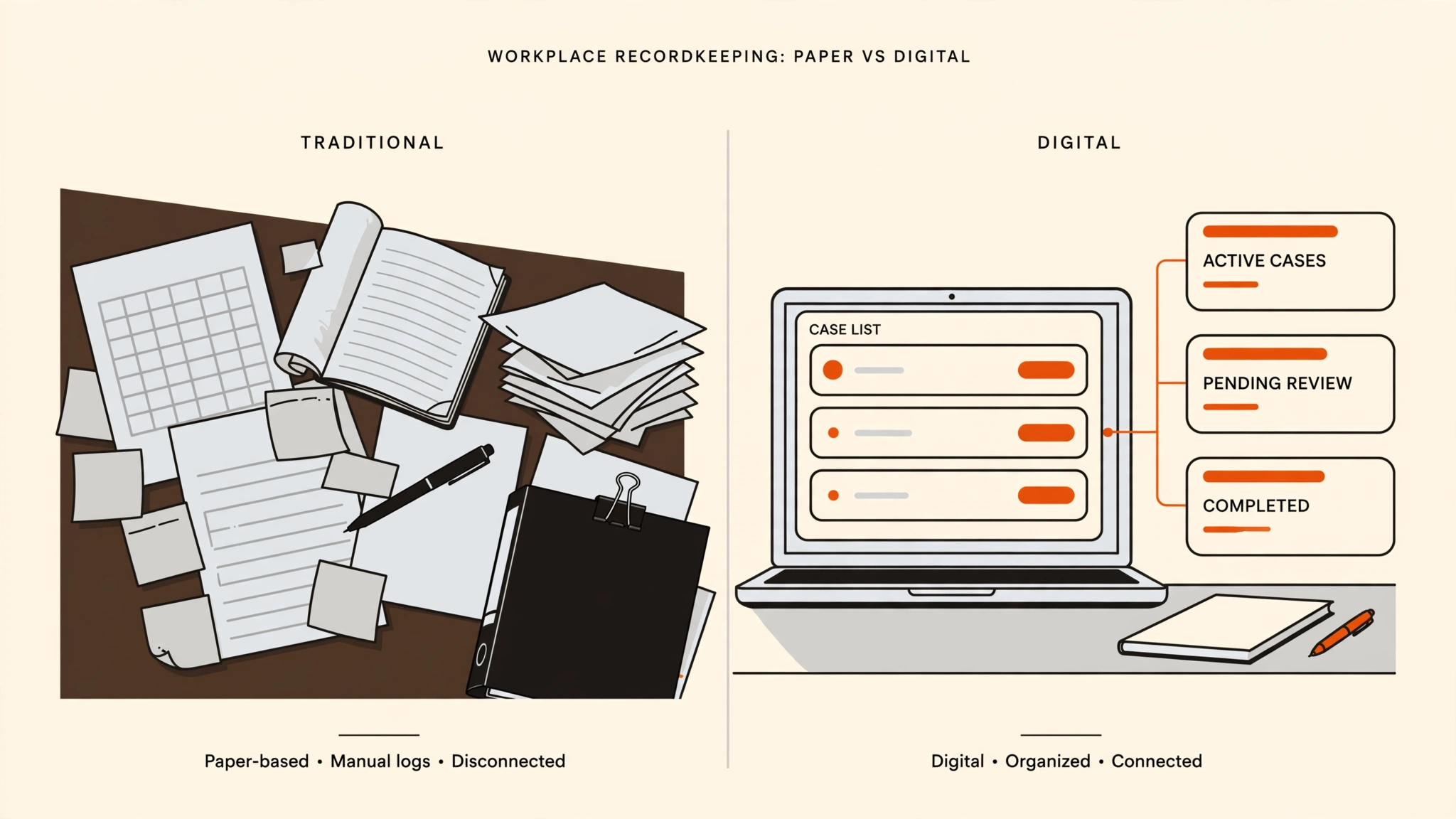
OSHA recordkeeping software vs Excel shines here. Guided entry walks case details, links 301 incidents to 300 rows, auto-populates 300A summaries. Generate audit-ready PDFs, organized backups via CSV, and ITA-ready files for manual upload. Pros: connected data cuts year-end scramble, role-based access protects privacy, fast retrieval. Cons: subscription cost. Fits small business needs with recurring cases.
- Setup: PDFs/Excel manual; workspace establishes multi-site tracking.
- Entry: All manual, but guided reduces errors.
- 300A: Formulas in Excel; auto in software.
- ITA: All require manual upload; software preps exact templates.
- Retention: Files anywhere; software organizes per retention rules.
When Free Forms or Excel Suffice
OSHA doesn't require paid tools. Free OSHA 300 log forms or an OSHA 300 Excel spreadsheet fit if:
- Few or zero cases yearly.
- One person controls the file.
- Single establishment.
- Reliable year-end process for totals and posting (300A details).
- You produce readable equivalents quickly.
Many small ops thrive this way. Learn filling via step-by-step guides and 301 instructions.
When a Recordkeeping Workspace Adds Real Value
Shift to software for guided entry and organized backup when cases recur, handoffs happen between HR and safety leads, or privacy-sensitive 301 details can't risk spreadsheet shares. Connected totals end year-end scrambles. Multi-establishment? Track separately. ITA prep? Get files matching your log. See how it works and OSHA guidance.
FORM 300 LOGBOOK: Pricing and Practical Fit
FORM 300 LOGBOOK is an independent OSHA recordkeeping workspace for small businesses. One plan: See the FORM 300 LOGBOOK plan at $79/month or $708/year. No free trial. It supports establishment setup, guided OSHA 300 case entry, linked 301 details, 300A review, PDF/CSV outputs, and ITA CSVs for your manual upload. Not legal advice, compliance guarantee, OSHA-affiliated, or filing service. Covers recordkeeping copies, not submissions.
Your Quick Decision Checklist
- Do cases happen often, needing seven-day entry?
- Multiple people access records?
- Privacy cases or multi-site tracking?
- Year-end totals a scramble?
- ITA CSVs need to match exactly?
- If mostly yes, consider a workspace. Mostly no? Stick with free or Excel.
The Choice Stays Yours
Free PDFs keep it simple. Excel adds flexibility. A recordkeeping workspace organizes for growth. Weigh your cases, team, and process. See the FORM 300 LOGBOOK plan or start your OSHA recordkeeping workspace today.